Leave Your Message
For a growing workshop, every cut affects material costs, production time, and the quality customers see. A CNC Cutting Machine can repeat programmed paths across sheets of wood, acrylic, metal, or other compatible materials. That consistency may reduce manual variation, especially when a job involves many matching parts. Still, results depend on the machine, tooling, material, and setup—not the CNC label alone.
Picture a cabinet shop cutting identical side panels or a sign maker producing crisp lettering from a digital file. The operator still needs to choose suitable feed rates, secure the workpiece, and check the first cut. Small setup errors matter. A poorly supported sheet can shift; a dull tool can leave rough edges. These details are easy to underestimate when comparing machines by speed or price.
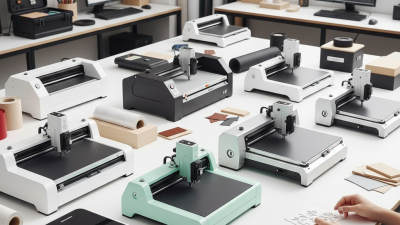
For business owners, the useful question is not simply whether CNC is more advanced. It is whether its working area, accuracy, software, and service support fit the jobs coming through the door. Consider training, dust or chip removal, maintenance, and the space available around the machine. Ask suppliers for demonstrations using materials similar to yours, and verify stated capabilities against your actual tolerances. The investment can improve repeatability and help manage labor, but it will not fix weak planning or an inconsistent workflow. Some shops may be better served by a simpler setup. A careful comparison makes the decision more grounded—and less dependent on sales claims.
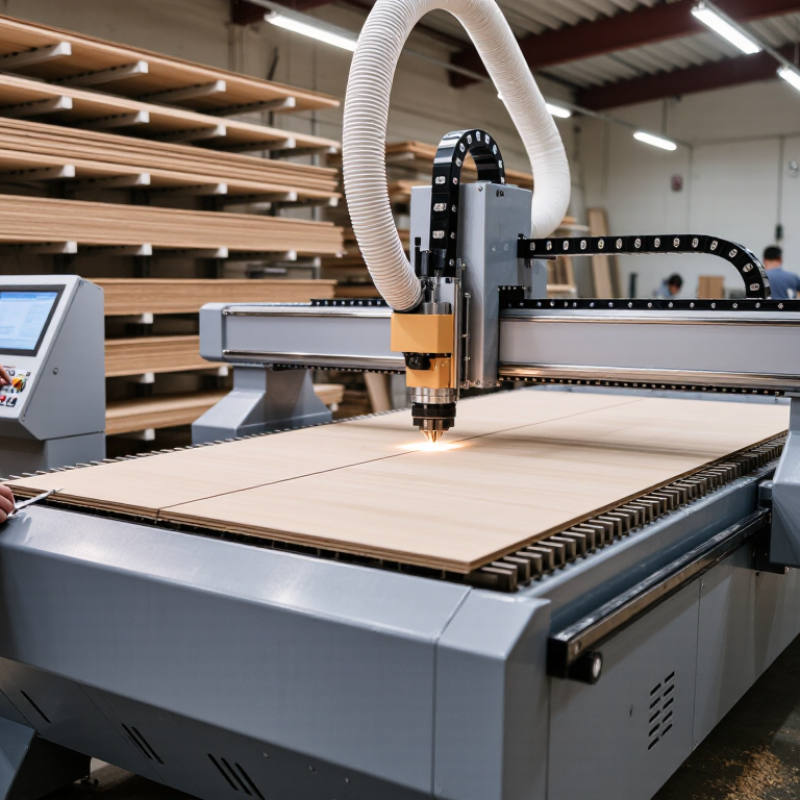
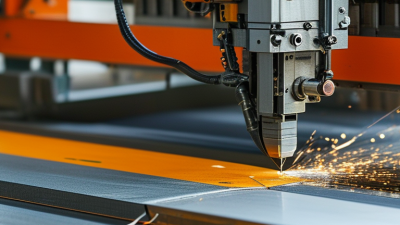
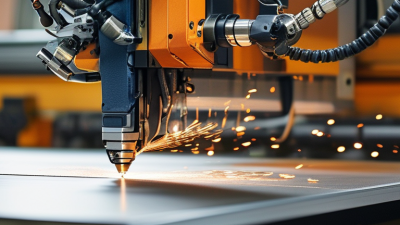
A CNC cutting machine uses computer numerical control to move a cutting tool along programmed paths. An operator prepares a design, converts it into machine instructions, and sets material, speed, and cutting depth. The controller then coordinates motors and the cutting head. Depending on the process, that head may use a router, laser, plasma torch, or waterjet. These methods suit different materials and edge requirements; “CNC” describes the control system, not one particular cutting method.
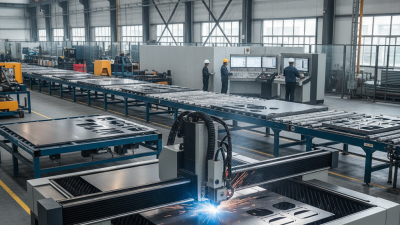
On a shop floor, the setup is tangible: a sheet is clamped to a bed, a tool follows its path, and small errors can leave rough edges or wasted material. The machine repeats instructions, not good judgment. That distinction matters. The International Federation of Robotics’ World Robotics 2024 report counted 4.28 million industrial robots operating worldwide in 2023, up 10 percent from 2022. That figure measures robots, not CNC cutting machines, but it shows the broader move toward automated production. For a business, understanding the machine means checking its cutting method, usable work area, material limits, and required operator skills before comparing productivity claims. A precise cut still depends on sound design and setup.
| Dimension | What It Means | Business Relevance | Practical Consideration |
|---|---|---|---|
| Definition | A CNC cutting machine uses computer numerical control to guide a cutting tool along programmed paths. | Digital instructions help produce repeatable parts without manually guiding every cut. | The machine follows its program, so the design file, setup, tooling, and material still need to be correct. |
| Cutting methods | Depending on the machine, cutting may use a router, laser, plasma torch, waterjet, or another tool. | Different methods suit different materials, thicknesses, edge requirements, and production needs. | Choose a process based on the material and finished-part requirements; not every CNC machine can cut every material. |
| Typical materials | Material compatibility varies by process. CNC routers commonly work with wood, plastics, and some composites; other systems may cut metals or sheet materials. | A suitable machine can support a business’s product range and reduce reliance on outsourced cutting. | Confirm the manufacturer’s material and thickness specifications before purchasing or scheduling work. |
| Repeatability | Once a program and setup are established, the same toolpath can be run again under comparable conditions. | This can help maintain consistency across batches and simplify replacement-part production. | Results also depend on machine condition, workholding, tool wear, calibration, and material variation. |
| Design flexibility | Toolpaths can be programmed for profiles, openings, pockets, and other shapes supported by the machine and cutting method. | Digital production makes it easier to revise designs without making a dedicated cutting die for every change. | Complex geometry may require additional programming, setup, finishing, or multiple operations. |
| Production workflow | A typical workflow includes creating or preparing a design, generating toolpaths, securing the material, and running the program. | A documented workflow can make production easier to plan and repeat. | Operators need training in safe setup, program checks, workholding, and machine-specific procedures. |
| Labor and automation | The controller automates tool movement, while people generally handle programming, loading, monitoring, inspection, and maintenance. | Automation can reduce continuous manual guidance and allow staff to focus on setup and quality checks. | A CNC machine does not eliminate labor; staffing needs depend on the process and level of automation. |
| Accuracy and finish | Achievable accuracy and edge quality depend on the machine, cutting method, tool, material, settings, and setup. | Matching process capability to part requirements can reduce rework and improve fit. | Check tolerances and finish on representative parts; additional sanding, deburring, or other finishing may be needed. |
| Cost of ownership | Total cost can include purchase, tooling or consumables, software, installation, training, maintenance, energy, and extraction or safety equipment. | Comparing the full operating cost with current production or outsourcing costs supports a more realistic investment decision. | Estimate expected utilization and include service, tooling replacement, and downtime in the calculation. |
| Safety and workspace | Cutting operations can involve moving parts, sharp tools, heat, dust, fumes, noise, or high-pressure systems, depending on the process. | Appropriate safeguards help protect operators and support reliable operation. | Follow machine-specific safety instructions and assess guarding, ventilation, extraction, and personal protective equipment needs. |
Note: Capabilities and operating requirements vary by machine type, configuration, material, and application. Confirm specifications with the equipment supplier and test the process with representative materials.